
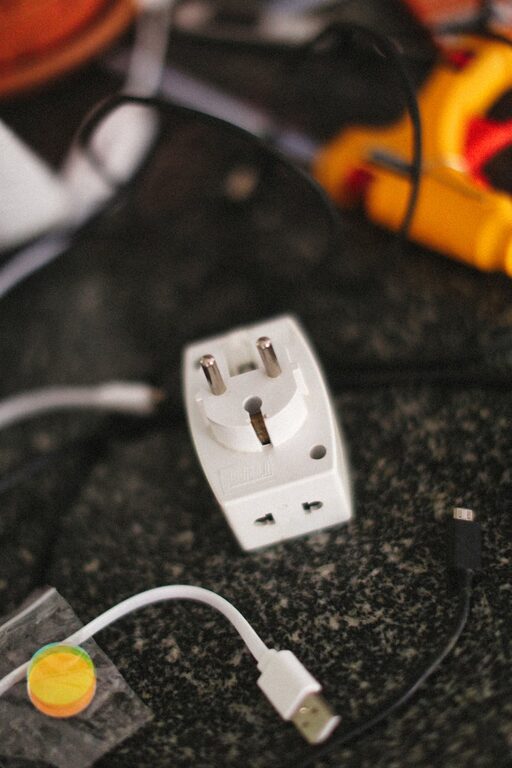
Setting up a charging station for your devices is a simple yet powerful way to keep your home organized and ensure your gadgets are always ready to use. With the increasing number of devices such as smartphones, tablets, smartwatches, and wireless earbuds, having a dedicated spot designed specifically for charging saves time and reduces clutter.
In this guide, you’ll learn how to create an effective charging station that fits your needs, keeps your cords tidy, and blends well with your living space.
Why Set Up a Charging Station?
Before diving into the steps, let’s explore why a charging station makes sense:
– Organization: Avoid tangled cords and misplaced chargers.
– Convenience: Have all devices charged in one place.
– Safety: Reduce hazards caused by cables stretched across rooms.
– Aesthetic: Keep your living or workspace neat and tidy.
Now, let’s look at how to create a functional station step by step.
Step 1: Choose the Right Location
Picking the ideal spot is crucial. Consider these points:
– Accessibility: Choose a place where you often use your devices, such as the living room, bedroom, or home office.
– Power Source: Ensure there’s an available electrical outlet nearby.
– Surface: Pick a flat surface like a desk, shelf, or a small side table.
– Ventilation: The area should allow devices and chargers to cool down safely.
Pro Tip: Avoid locations exposed to direct sunlight or moisture, which can damage your electronics.
Step 2: Gather the Necessary Supplies
Next, collect everything you’ll need to build the station:
– Charging Hub or Power Strip: Look for one with multiple USB ports and power outlets.
– Cable Organizers: Velcro straps, clips, or cable sleeves to keep cords neat.
– Small Container or Tray: For holding smaller devices like earbuds or charging adapters.
– Labels or Tags (optional): To mark cables or charging spots for easy recognition.
– Mounting Supplies (if needed): Hooks, adhesive strips, or clips to secure cables.
Step 3: Select Charging Equipment
Choosing compatible and safe chargers is important:
– Multi-Port USB Chargers: They minimize the number of adapters you use.
– Fast Chargers: Support quick charging for compatible devices.
– Wireless Charging Pads: Great for devices that support wireless charging such as some smartphones and earbuds.
– Surge Protectors: Protect expensive devices from power spikes.
Always use chargers recommended by device manufacturers to avoid potential damage.
Step 4: Organize Your Cables
Cable management is the key to a neat station:
– Shorten Excess Cable Lengths: Use velcro straps or twist ties to bundle extra length.
– Label Cables: This saves time when you need to unplug or change chargers.
– Use Cable Holders or Clips: Stick them to the surface edge to prevent cables from falling.
– Separate Power Adapters: Avoid stacking adapters to prevent overheating.
Step 5: Arrange Your Devices
Now that your cables are in order, arrange devices so they are easy to access and see charging status:
– Designate Spots for Each Device: Keep phones, tablets, and accessories separated to prevent overcrowding.
– Use Stands or Holders: These keep your devices upright and visible.
– Keep Small Accessories Contained: Use a small bowl or box for items like earbuds or smartwatch bands.
Step 6: Maintain and Update Your Station
Once your charging station is up and running, maintain it for long-term use:
– Regularly Dust and Clean: Wipe surfaces and check cables for wear.
– Declutter: Remove devices or cords no longer in use.
– Update Equipment: Replace outdated or broken chargers.
– Monitor Charging Habits: Avoid leaving devices charging overnight unnecessarily.
Optional Enhancements
For those wanting extra functionality or style:
– Add LED Lighting: Soft LED strips can illuminate your station.
– Incorporate a Shelf or Drawer: Increase storage space for accessories.
– Decorate: Personalize the area with plants or artwork to make it inviting.
Final Thoughts
Creating a charging station doesn’t have to be complicated or expensive. With a little planning and organization, you can make a convenient spot that keeps all your devices powered and your space clutter-free. Whether for your home or office, a dedicated charging station enhances your daily routine by keeping essentials within reach and ready to go.
Start with these simple steps today, and enjoy a more organized tech life tomorrow!